Showing posts with label UNLOCKING. Show all posts
Showing posts with label UNLOCKING. Show all posts
Friday, November 11, 2016
SM-J110H Unlocking Procedures
Here's How to unlock SM-J110H on service Provider.
First thing first,Let's check the Specifications of this Smartphone.This smartphone is from Saudi Arabia and made by Samsung..
SM-J110H Keys Specs:
How To Unlock using Octopus Box Software:
1. Power on the phone.
2. Tap 7 times on 'Build number' in 'Settings'-'About phone' to enable 'Developer options',
go to 'Settings'-'Developer options' and enable 'USB debugging'.
3.Open Octopus Box Samsung Software
4.Select Spreadtrum
5.Select SM-J110H
6. Connect the phone to PC with USB cable, install drivers if needed.
7. Press 'Unlock' button for direct unlock or 'Read codes' to read security codes.

First thing first,Let's check the Specifications of this Smartphone.This smartphone is from Saudi Arabia and made by Samsung..
SM-J110H Keys Specs:
- 4.3-inch display, at 216 ppi / dpi (pixels per inch)
- 1.3GHz 2-core processor
- 0.512GB RAM
- 4GB internal memory
- 5 Megapixel main camera
- 1800-mAh battery
- Android 4.4 KitKat
How To Unlock using Octopus Box Software:
1. Power on the phone.
2. Tap 7 times on 'Build number' in 'Settings'-'About phone' to enable 'Developer options',
go to 'Settings'-'Developer options' and enable 'USB debugging'.
3.Open Octopus Box Samsung Software
4.Select Spreadtrum
5.Select SM-J110H
6. Connect the phone to PC with USB cable, install drivers if needed.
7. Press 'Unlock' button for direct unlock or 'Read codes' to read security codes.

Posted by
komon

Sunday, November 6, 2016
How To Unlock Lenovo A516 using Sigma Box
This is How To Unlock Lenovo A516 using Sigma Box.Unlock it using META MODE,Must have a PC,Micro USB Cable and Sigma Box Software.
Here's What to do:
1.Connect Phone to PC using META Mode (Press Volume Down and Power Button)
2.Install CDC Driver Lenovo A516


Read more »
Here's What to do:
1.Connect Phone to PC using META Mode (Press Volume Down and Power Button)
2.Install CDC Driver Lenovo A516
3.Open Sigma and select MTK in flatform
4.Select Lenovo USB VCOM (Android) in serial port
5.Click Unlock and wait until finish unlocking
Here's The Lenovo A516 Unlocked
That's It Very Easy!
Something Wrong in my Post?Feel Free to comment Below!
Don't Forget to Like us on Facebook or Subscribe to us via E-mail
Posted by
komon
Tuesday, November 1, 2016
iOS 8 Bugs on iPHONE Factory Unlocking
 |
| iOS 8 |
We have Got Some Reports Regarding Some IMEIs Gets Relocked After Updating To IOS8 Through iTunes Before Applying The Unlock Through Wifi !
And This Is Known Bug In IOS 8 Now !!!
Please Read Below Carefully !
Here Is The Full Story !
** In Case You Submitted Your IMEI While The IPhone Was Still On IOS7 & The IMEI Got Unlocked & Then You Updated The IPhone Through iTunes To IOS8 Before Activating The IPhone Through Wifi ( The IPhone Might Gets Relocked After Updating To IOS8 )
** To Avoid Such Issue You Must Do 1 Of 2 Following Options !
1- Update Your IPhone To IOS8 Before Submitting Your IMEI To US Then After Unlock Done You Can Activate Your IPhone With Any Way ( iTunes Or Wifi ) (Recommended Option) !
2- If You Submitted Your IMEI To Get It Unlocked While The IPhone Was Still On IOS7 Then You Will Have To Activate The IPhone Through Wifi ( Not iTunes ) After Unlocking Your IMEI To Avoid Gets The IPhone Relocked & After Activating & Applying The Unlock You Can Update Your IPhone With iTunes Or Wifi To Latest IOS Version Without Any Issue (Not Recommended Option) !
Posted by
komon
Wednesday, October 26, 2016
Simple Step To Unlock your Samsung Galaxy V (SM-G313HZ) To Other Sim Provider
Hello Guys!I wanna share today How To Unlock your Samsung Galaxy V (SM-G313HZ) To Other Sim Provider.In this tutorial I want to share How to unlock it using Z3X Box Software.It is very simple if you have the gadget Z3X Box!Follow this step by step procedures to unlock your Samsung Galaxy V (SM-G313HZ) To Other Sim Provider.
Other Solution for Samsung Galaxy V (SM-G313HZ)
Samsung Galaxy V Specifications,Price And How To Unlock on Service Provider And How To Hard Reset Using Hardware Keys
Procedures:
1.Download This Root file Here
2.Download Latest Z3X Samsung tool from support
3.Turn-On USB Debugging (Settings>About Phone>Tap Build Number for 7 times)
4.Root Phone using Z3X Samsung Tool Latest Version
*Open Z3x
*Select Correct Unit
*Click PDA then select root file you just download earlier
*Put Phone in Download Mode (Volume Down + Home Button + Power Button)
*Connect Phone to USB Cable
*Click Flash
*Wait until finish

5.Proceed To Unlock
*Select Correct Model
*Connect Phone to USB cable (Must Be On)
*Click Read Codes

6.Put Unaccepted Sim and Put manually generated Freeze Code or Net lock code


That's Easy!
Posted by
komon
Thursday, October 13, 2016
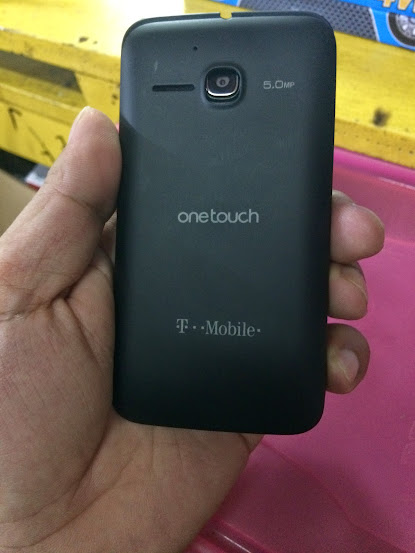
How To Unlock Alcatel One Touch 5020T?If It is Counter Blocked [Guide]
Here's How To Unlock Alcatel One Touch 5020T If not asking for NCK Codes.Not asking NCK Codes because already Counter Blocked.In this Post I want to share How to do It.If you want the NCK Codes i can give but not free.Contact me on Yahoo Messenger and Skype,My User ID is ansary3628.....

Read more »
How To Calculate Codes Using Sigma Box
1.Open SIGMAKEY Software.
2.Select MEDIATEK Platform.
3.Select CALCULATOR.
4.Select model ALCATEL OT-5020T
5.Select Provider 5020T-2AWFUS1 (X2L0UM02AB00)
6.Enter phone IMEI
7.Click Calculate Unlock Codes
2.Select MEDIATEK Platform.
3.Select CALCULATOR.
4.Select model ALCATEL OT-5020T
5.Select Provider 5020T-2AWFUS1 (X2L0UM02AB00)
6.Enter phone IMEI
7.Click Calculate Unlock Codes
PROCEDURE:
1.Enable USB Debugging.
2.Root phone using VROOT

1.Enable USB Debugging.
2.Root phone using VROOT
3.After Finish Rooting,Reboot to Factory Mode (Volume Down and Power Button)
4.Select Clear eMMC it will automatically reboot phone
5.Dial *#*#3646633#*#*
6.Select Simme Lock
7.Select Unlock Permanently
8.Input NCK Code generated from Sigma Box
Posted by
komon
Tuesday, October 11, 2016
BST Dongle Released V3.17.00

V3.17.00
--------------------
Support S5 (qualcomm) unlock and imei repair, backup phone original efs before do operation, its will loss original imei!
Support MTK(MTK6589, MTK6575) read info, enable usb debug, remove screenlock w/o usb debug, w/o root, w/o userdata loss!
Support Xiaomi MI1/MI1-Youth/MI1S-Youth/MI2/MI2A/MI4W, remove screenlock w/o usb debug, w/o root, w/o userdata loss!
Added:
[Samsung]
> Added SM-G900F Unlock/(Super)IMEI/EFS/*HW
> Added SM-G9006V Unlock/(Super)IMEI/EFS/*HW
> Added SM-G9006W Flash/*ScreenLock/Unlock/(Super)IMEI/EFS/*HW
> Added SM-G9008V Unlock/(Super)IMEI/EFS/*HW
> Added SM-G9008W Flash/*ScreenLock/Unlock/(Super)IMEI/EFS/*HW
> Added SM-G900A Unlock/(Super)IMEI/EFS/*HW
> Added SM-G900FD Flash/*ScreenLock/Unlock/(Super)IMEI/EFS/*HW
> Added SM-G900K Unlock/(Super)IMEI/EFS/*HW
> Added SM-G900L Unlock/(Super)IMEI/EFS/*HW
> Added SM-G900MD Flash/*ScreenLock/Unlock/(Super)IMEI/EFS/*HW
> Added SM-G900S Unlock/(Super)IMEI/EFS/*HW
> Added SM-G900T Unlock/(Super)IMEI/EFS/*HW
> Added SM-G900T1 Flash/*ScreenLock/Unlock/(Super)IMEI/EFS/*HW
> Added SM-G900V Flash/*ScreenLock
> Added SM-N9008V Flash/Unlock/IMEI/EFS/*HW
> Added GT-I9301I Flash/*ScreenLock/Unlock/(Super)IMEI/EFS/*HW
> Added SM-G7102 Flash/Unlock/(Super)IMEI/EFS/*HW
> Added SM-G7106 Flash/Unlock/(Super)IMEI/EFS/*HW
> Added SM-G7108 Unlock/(Super)IMEI/EFS/*HW
> Added SM-G7109 Flash/*ScreenLock
> Added SCH-I809 Flash/*ScreenLock/Unlock/IMEI/*HW
> Added SCH-I909 Flash/*ScreenLock/Unlock/IMEI/*HW
> Added SCH-I919 Flash/*ScreenLock/Unlock/IMEI/*HW
> Added SM-N9008V *OneKey Recovery
> Added SM-G900F *OneKey Recovery
> Added SM-G900FD *OneKey Recovery
> Added SM-G9006W *OneKey Recovery
> Added SM-G9008W *OneKey Recovery
[Xiaomi]
> Added Xiaomi 1 (WCDMA) ScreenLock/*OneKey Recovery
> Added Xiaomi 1 (Youth) ScreenLock/*OneKey Recovery
> Added Xiaomi 1S (Youth) ScreenLock/*OneKey Recovery
> Added Xiaomi 2 (WCDMA) ScreenLock/*OneKey Recovery
> Added Xiaomi 2A (WCDMA) ScreenLock/*OneKey Recovery
> Added Xiaomi 4W (WCDMA) ScreenLock/*OneKey Recovery
[MTK]
> Added MTK Module support
> Added MTK6575 Read Info
> Added MTK6589 Read Info
> Added MTK6575 Enable USB Debug
> Added MTK6589 Enable USB Debug
> Added MTK6575 Remove ScreenLock (w/o USB Debug, w/o Root)
> Added MTK6589 Remove ScreenLock (w/o USB Debug, w/o Root)
Fixed:
> Fixed cannot detect comm port bugs
> Optimized Samsung Flashing function
Information:
* About Samsung Galaxy S5 (Qualcomm) Unlock and IMEI Repair, please Write Default EFS and then repair 3G network, after done do operation
---------------------------------------------------------------------------------------
Follow Facebook:- BST Dongle
BST Dongle - Installer Mirrors & Install Instructions - GSM-Forum
Thanks to all who supported us.
GsmBest Team
Posted by
komon
How To Unlock Alcatel One Touch 5038A
Here's How To Unlock Alcatel One Touch 5038A.Just Follow this instructions below.
1.Enable USB Debug On Developer Option,,, If No Developer Click 7 Times Build Number
2.Power Off Phone
3.Open Android MTK Tool 2.5.5.1
4.Click Unlocking Tab
5.Select Alcatel And Device Model
6.The Press Direct Unlock
7.Insert USB To Phone Then Press Power 5 to 7 Second Install Driver If Needed..
8. Wait Unlock Done..

1.Enable USB Debug On Developer Option,,, If No Developer Click 7 Times Build Number
2.Power Off Phone
3.Open Android MTK Tool 2.5.5.1
4.Click Unlocking Tab
5.Select Alcatel And Device Model
6.The Press Direct Unlock
7.Insert USB To Phone Then Press Power 5 to 7 Second Install Driver If Needed..
8. Wait Unlock Done..

Posted by
komon
Saturday, October 8, 2016
ChimeraTool update: v.4.33.1439
What is new?
Added Samsung Factory Unlock (89 CRD/Phone):
Samsung Galaxy S5 4G+ LTE-A - SM-G901F
Samsung Galaxy Alpha - SM-G850F
Samsung Galaxy Ace Style LTE - SM-G357FZ
Samsung Galaxy Grand 2 Duos - SM-G7102
Samsung Galaxy Grand 2 Duos - SM-G7102T
Samsung Galaxy S4 LTE - SGH-S970G
Samsung Galaxy Avant - SM-G386W
Samsung Galaxy S3 LTE - SC-06D
Samsung Galaxy J - SC-02F
Samsung Galaxy S4 Mini - GT-I9190
Samsung Galaxy S4 Mini Duos - GT-I9192
Samsung Galaxy S4 Mini LTE - GT-I9195L
Samsung Galaxy S4 Mini LTE - GT-I9195T
Added New Samsung Unlock and Repair Imei Method
Samsung Galaxy Tab 3 Lite - SM-T111x
Samsung Galaxy Tab 3 7.0 - SM-T211x
Added Samsung Unlock and Repair IMEI
Samsung Galaxy Grand - GT-I9128
Samsung Galaxy Tab 3 7.0 - SM-T212
Samsung Galaxy Win - GT-I8558
Bugfix: More Stable Factory Unlock USB Method
Help about the Samsung Unlock and Factory Unlock
Many supported Blackberry & Samsung & Nokia Lumia models
More information about the Chimera Tool: click here
Best regards,
Chimera team
Posted by
komon
Friday, September 30, 2016
ChimeraTool update: v.4.25.1123
What is new?
Added Samsung Factory Unlock (89 CRD/Phone):
Samsung Galaxy Note 3 Neo LTE+ - SM-N7505
Samsung Galaxy S4 Duos - GT-I9508
Added Samsung Unlock:
Samsung Galaxy Tab 4 7.0 LTE - SM-T235
Samsung Galaxy Tab 4 7.0 LTE - SM-T235Y
Added Samsung Unlock and Repair IMEI
Samsung Galaxy S3 Mini VE - GT-I8200
Samsung Galaxy S3 Mini VE - GT-I8200L
Samsung Galaxy S3 Mini VE - GT-I8200Q
Samsung Galaxy S3 Mini VE NFC - GT-I8200N
Samsung Galaxy S3 Slim - SM-G3812B
Samsung Galaxy Tab 3 Lite 7.0 3G - SM-T111
Samsung Galaxy Tab 3 Lite 7.0 3G - SM-T111M
Samsung Galaxy Tab 3 Lite 7.0 3G - SM-T111NQ
Samsung Galaxy Tab 3 7.0 - SM-T211
Samsung Galaxy Tab 3 7.0 - SM-T211M
Samsung Galaxy Tab 4 7.0 3G - SM-T231
Samsung Galaxy Tab 4 7.0 3G + WiFi - SM-T232
Samsung Galaxy Note 2 LTE - SGH-I317M
Samsung Galaxy Trend Plus - GT-S7283T
Samsung Galaxy Y Pro Duos - GT-B5512B
Samsung Galaxy 3 - GT-I5800D
BlackBerry Repair IMEI bugfixes
Help about the Samsung Unlock and Factory Unlock
Many supported Blackberry & Samsung & Nokia Lumia models
More information about the Chimera Tool: click here
Best regards,
Chimera team
Read more »
Added Samsung Factory Unlock (89 CRD/Phone):
Samsung Galaxy Note 3 Neo LTE+ - SM-N7505
Samsung Galaxy S4 Duos - GT-I9508
Added Samsung Unlock:
Samsung Galaxy Tab 4 7.0 LTE - SM-T235
Samsung Galaxy Tab 4 7.0 LTE - SM-T235Y
Added Samsung Unlock and Repair IMEI
Samsung Galaxy S3 Mini VE - GT-I8200
Samsung Galaxy S3 Mini VE - GT-I8200L
Samsung Galaxy S3 Mini VE - GT-I8200Q
Samsung Galaxy S3 Mini VE NFC - GT-I8200N
Samsung Galaxy S3 Slim - SM-G3812B
Samsung Galaxy Tab 3 Lite 7.0 3G - SM-T111
Samsung Galaxy Tab 3 Lite 7.0 3G - SM-T111M
Samsung Galaxy Tab 3 Lite 7.0 3G - SM-T111NQ
Samsung Galaxy Tab 3 7.0 - SM-T211
Samsung Galaxy Tab 3 7.0 - SM-T211M
Samsung Galaxy Tab 4 7.0 3G - SM-T231
Samsung Galaxy Tab 4 7.0 3G + WiFi - SM-T232
Samsung Galaxy Note 2 LTE - SGH-I317M
Samsung Galaxy Trend Plus - GT-S7283T
Samsung Galaxy Y Pro Duos - GT-B5512B
Samsung Galaxy 3 - GT-I5800D
BlackBerry Repair IMEI bugfixes
Help about the Samsung Unlock and Factory Unlock
Many supported Blackberry & Samsung & Nokia Lumia models
More information about the Chimera Tool: click here
Best regards,
Chimera team
Posted by
komon
Tuesday, September 27, 2016
Samsung Galaxy V Specifications,Price And How To Unlock on Service Provider And How To Hard Reset Using Hardware Keys
The phone runs on the Android operating system, which is the most widely used mobile platform on Earth. It runs on Android 4.4, which is named KitKat, and it's the newest version of Android available. It was first released on mobile phones in September, 2013. TouchWiz, by Samsung, runs on top of Android 4.4 KitKat on this phone, offering users a different experience from Vanilla Android.

FM Receiver
GPS Navigation
Memory Card Slot
Replaceable Battery
854 x 480 pixels
TFT
Ambient Light Sensor

Read more »
Samsung Galaxy V Specifications
Android 4.4 KitkatFM Receiver
GPS Navigation
Memory Card Slot
Replaceable Battery
854 x 480 pixels
TFT
Ambient Light Sensor
Multi Touch
Proximity Sensor
Li Ion 1500 Mah
Proximity Sensor
Li Ion 1500 Mah
121.2 mm x 62.7 mm x 10.65 mm
CPU 1.2 GHZ 512MB RAM
Micro SD Card Supported 32GB Expandable
4GB Internal Storage
Rear Camera 3MP 0.3 Front Camera
You can Have for Free at Plan 499 at Globe
How To Hard Reset Using Hardware Keys
1.Turn-Off Samsung Galaxy V
2.Hold and Press Volume up,Home Button and Power Button to go to Android System Recovery
3.When in recovery,Use Volume down to select wipe data/factory reset,Power Button to confirm
4.Select yes-delete all user data
5.Reboot System
6.Follow on screen to continue using phone
That's it!
Want to Unlock your Phone?So That you can Use other Sim Provider!
Very Safe Procedures thru Codes Only
No need Root
No Need Downgrade
Very Safe Procedures thru Codes Only
No need Root
No Need Downgrade
Contact Me:
yahoo messenger: ansary3628
Skype: ansary3628
Official Number:09173244397
Something Wrong in my Post?Feel Free to Comment Below!
Posted by
komon
Sunday, September 25, 2016
ONLINE UNLOCKING SERVICE
AT&T factory Unlock for iphone 4/4s/5/5c/5s/6/6 plus
Orange Spain Direct Source 1 day only Process
Fido/Rogers Iphone Factory Unlocked Direct Source
Worldwide iPhone factory unlock
( all model support )
Nokia Sl3 calculation Fast/slow available
Sony Xperia Unlocked By IMEI only
(World Wide ALL Level)
HTC unlocked by Imei old/new/supernew sec
Blackberry unlocked by imei & mep or PRD
Samsung Unlocked by Imei Selected Country
Alcatel unlocked by imei & provider ID
Pantech Unlocked by Imei
Zte worldwide factory codes any model
MOTOROLA ALL NEW MODELS (Except Verizon)
Sharp phone on selected model via imei calculation
LG unlocked by Imei old/new Security
Samsung Remote service via teamviewer also available
Sharp phones on selected model via imei calculation
NCK DONGLE ACTIVATION FOR 1 YEAR
NCK BOX ACTIVATION FOR 1 YEAR
SAMSUNG UNLOCK BY CODES 10 CREDITS
SIGMA BOX ACTIVATION FOR PACK 1
SETOOL ACTIVATION, LG 100 PAID CREDITS
ATF ACTIVATION (49 CREDITS)
ATF JTAG ONE TIME ACTIVATION
DC UNLOCKER FOR DONGLE USER / NON DONGLE USER
OSS CLIENT NO NEED BOX 1 YEAR LICENSE ACTIVATION
Contacts:
YM:ansary3628
Skype:ansary3628
Official Number:09173244397
Posted by
komon
Tuesday, June 28, 2016
SM-G530H (Samsung Galaxy Grand Prime) Unlocking Using Z3X Box
Below is the unlocking instructions of Samsung Galaxy Grand Prime using Z3X Box Software.
Very simple and easy!
UNLOCK INSTRUCTIONS:
Micro-USB cable:
1. Phone must be powered on.
2. Type *#0808# and select 'DM+MODEM+ADB'.
3. Type *#9090# and choose 'DM/DUN over HSIC'.
4. Reboot phone.
5. Connect USB cable, install drivers if needed.
6. Select Samsung diagnostic port in port settings.
7. Press 'Unlock' button for direct unlock.

Very simple and easy!
UNLOCK INSTRUCTIONS:
Micro-USB cable:
1. Phone must be powered on.
2. Type *#0808# and select 'DM+MODEM+ADB'.
3. Type *#9090# and choose 'DM/DUN over HSIC'.
4. Reboot phone.
5. Connect USB cable, install drivers if needed.
6. Select Samsung diagnostic port in port settings.
7. Press 'Unlock' button for direct unlock.

Posted by
komon
Wednesday, June 22, 2016
Samsung Galaxy Note 5 (SM-N920C) Unlocking Using Z3X Pro with Android Version 5.1.1
These are the steps that you should follow to unlock your Samsung Galaxy Note 5 (SM-N920C).
Prerequisites:
1) To get started, take a complete backup of personal data in your smartphone using Samsung Kies or using similar application.
2) Next, download Samsung Galaxy Note 5 driver and install it in your computer. Only by installing USB driver, you will be able to connect your smartphone with the computer successfully.
3) Now you will need to enable Developer Options in your device by following this path: Settings -> About Phone -> Build Number (tap on it for 5-7 times). Once enabled, you will need to enable “OEM Unlocking” by following this path: Settings -> Developer Options -> OEM Unlocking (enable it for allowing the bootloader to be unlocked).
4) Make sure that your device has at least 50-60% battery backup in it before getting started with the rooting procedure. Also, ensure that you have disabled antivirus as they tend to interrupt the rooting procedure.
5.Z3X Samsung Tool PRO
Once you have finished all these prerequisites, you can move forward to the rooting and Unlocking tutorial given below.
For Rooting this device follow this Procedure>Tutorial To Root Samsung Galaxy Note 5:
Unlocking This Device
1.Open Z3X Samsung Tool PRO
2.Connect your device using USB Cable
3.Select Correct Unit
4.Select Unlock in the Tab
5.Select ADB in the Port
6.Now,Click Read Codes
7.Restart your Phone and Manually put generated codes in the device.

Prerequisites:
1) To get started, take a complete backup of personal data in your smartphone using Samsung Kies or using similar application.
2) Next, download Samsung Galaxy Note 5 driver and install it in your computer. Only by installing USB driver, you will be able to connect your smartphone with the computer successfully.
3) Now you will need to enable Developer Options in your device by following this path: Settings -> About Phone -> Build Number (tap on it for 5-7 times). Once enabled, you will need to enable “OEM Unlocking” by following this path: Settings -> Developer Options -> OEM Unlocking (enable it for allowing the bootloader to be unlocked).
4) Make sure that your device has at least 50-60% battery backup in it before getting started with the rooting procedure. Also, ensure that you have disabled antivirus as they tend to interrupt the rooting procedure.
5.Z3X Samsung Tool PRO
Once you have finished all these prerequisites, you can move forward to the rooting and Unlocking tutorial given below.
WARNING: I should not be held responsible for any damages happens to your device while following this rooting procedure. Also, rooting will void your warranty as well. So, beware of these things before getting started with the tutorial given below.
For Rooting this device follow this Procedure>Tutorial To Root Samsung Galaxy Note 5:
Unlocking This Device
1.Open Z3X Samsung Tool PRO
2.Connect your device using USB Cable
3.Select Correct Unit
4.Select Unlock in the Tab
5.Select ADB in the Port
6.Now,Click Read Codes
7.Restart your Phone and Manually put generated codes in the device.

That's It!!!
Any Questions???Use the comment System Below!!!
Posted by
komon
Wednesday, June 15, 2016
O+ 8.52 Unlocking Using Sigma Box
Here's the way you can unlock your O+ 8.52 to any SIM Provider in your Country!
Prerequisite:
Procedure
1. Open SigmaKey then choose MTK as the platform
2. Turn-off the phone and insert usb cable while pressing power switch
it should be stuck on o+ logo.
3. Choose correct comport , press Direct Unlock then wait for a seconds and your done

Prerequisite:
- Mini USB Cable
- PC
- Sigma Box
Procedure
1. Open SigmaKey then choose MTK as the platform
2. Turn-off the phone and insert usb cable while pressing power switch
it should be stuck on o+ logo.
3. Choose correct comport , press Direct Unlock then wait for a seconds and your done

Posted by
komon
Monday, June 6, 2016
Lenovo A536 Unlocking Steps
Here's the steps you can follow to unlock your Lenovo A536 from any sim providers.Just follow this simple steps to do it.
Note:Do this at your own risk,we are not liable what ever happen to your Smartphone!
Procedures:
1.Turn-OFF Lenovo A536
2.Insert sim1 slot any sim that is locked to like smart/sun/tnt and put your Globe sim to sim2 slot.
3.Now,Turn-On your phone
4.Now,if asking for simmie lock code,just type 12345678 to unlock your phone.But,sadly to say,this is just temporary.if you turn-off your phone and turn-on again it will ask again for the code.if you want to unlock it permanently proceed to next steps.
5.To unlock it permanently,Dial this number *#*#3646633#*#* to go Engineering Mode.
6.Scroll down below to find simme lock then click it and select Network Personalization and select Unlock Permanently then just put the code which is 12345678.

7.That's It,Your smartphone now is Permanently Unlock to any Sim Providers..
Any Questions???Just use comment system below!!!
Note:Do this at your own risk,we are not liable what ever happen to your Smartphone!
Procedures:
1.Turn-OFF Lenovo A536
2.Insert sim1 slot any sim that is locked to like smart/sun/tnt and put your Globe sim to sim2 slot.
3.Now,Turn-On your phone
4.Now,if asking for simmie lock code,just type 12345678 to unlock your phone.But,sadly to say,this is just temporary.if you turn-off your phone and turn-on again it will ask again for the code.if you want to unlock it permanently proceed to next steps.
5.To unlock it permanently,Dial this number *#*#3646633#*#* to go Engineering Mode.
6.Scroll down below to find simme lock then click it and select Network Personalization and select Unlock Permanently then just put the code which is 12345678.
7.That's It,Your smartphone now is Permanently Unlock to any Sim Providers..
Any Questions???Just use comment system below!!!
Posted by
komon
Friday, June 3, 2016
Huawei Y600-U20 Unlocking Procedures
Here's How you can unlock your Huawei Y600-U20 to any sim provider using Sigma Box Software.
Note:Download the drivers of your from here.
Select "MTK" platform from the tab menu in the upper left side of the software
Go to "Unlock" tab
Turn-Off the phone
Connect turned off phone to PC with USB cable
Install the drivers
Select Mobistel Cynus T1-CDC Serial in the ports selection tab
Press "Direct Unlock" button
Message "Unlocking phone... Done" indicates that procedure was completed successfully
Disconnect the handset. Remove and reinstall the battery

Note:Download the drivers of your from here.
Select "MTK" platform from the tab menu in the upper left side of the software
Go to "Unlock" tab
Turn-Off the phone
Connect turned off phone to PC with USB cable
Install the drivers
Select Mobistel Cynus T1-CDC Serial in the ports selection tab
Press "Direct Unlock" button
Message "Unlocking phone... Done" indicates that procedure was completed successfully
Disconnect the handset. Remove and reinstall the battery

Posted by
komon
Huawei Kestrel EE G535-L1 Root And Unlock
I want to share How to root and unlock Huawei Kestrel EE G535-L1.Before you can unlock the Huawei Kestrel EE G535-L1 using SigmaKey Box Software to it's SIM provider you must root first the phone using iRoot.
Now,Proceed to unlocking using Sigmakey Box Software

How to Root Huawei Kestrel EE G535-L1 using iRoot
- Download and Install iRoot in your PC
- Open iRoot Software
- Connect Your phone to the USB Cable and wait until detected by iRoot
- After fully detected by iRoot,Click the root button
- Wait now until root process success and your phone will automatically reboot
 |
| Successfully Rooted |
Now,to make sure you have successfully rooted your Huawei Kestrel EE G535-L1,Open applications menu on your Huawei Kestrel EE G535-L1 and find SuperUser App.If this app exist on your phone then it means you have successfully rooted your device.Congratulations.
 |
| SuperUser |
Now,Proceed to unlocking using Sigmakey Box Software
How To Direct Unlock Huawei Kestrel EE G535-L1
- Open SigmaKey Box
- Select ADB in Platform
- Select Composite ADB Interface in Serial Port
- Press Direct Unlock
- Wait Until Finish
Don't Forget to Like Us on Facebook,Follow us on Google+
Posted by
komon
Thursday, June 2, 2016
How To Root & Unlock Samsung Galaxy Tab 3 4G (SM-T315)
These are the instructions to root and unlock Samsung Galaxy Tab 3 4G SM-T315 (running on Android 4.4.2) using Odin on windows operating system and Octopus Box Software.
Download:
Samsung Galaxy Tab 3 4G SM-T315 Root File
Samsung USB Drivers credits to Androidxda.com
Requirements:Your Samsung Galaxy Tab 3 4G (SM-T315) should have atleast 50-60 percent of battery to perform the rooting process.
First,We root this tab and then we proceed to unlock using Octopus Box Software.
2.Download and Extract Root file in a folder in desktop to easily navigation.
3.Now,Switch off your tablet
4.Now Boot to Download Mode.To boot to Download Mode press and hold Volume down,Home Button and Power Button for 5 to 8 seconds until download Mode is active
5.In the Download Mode you will be able to see a Warning Yellow triangle Sign.In this situation you have to press volume up key to continue
6.Now,Open Odin3 (found in the extracted files,that you downloaded in above post).Then connect your tab to computer using Micro USB Cable.
7.Once you have connected the tab to the computer,Odin will automatically recognize your device and show ''added'' message at the lower left panel.
8. Now,Click on PDA and browse for CF-Auto-Root (You have downloaded this file in above post)
9.Now,click on start button in odin to begin the flashing
10.Flashing usually takes 30-50 seconds to complete the rooting process on your Samsung Galaxy Tab 3 4G (SM-T315).Once rooting process is complete you will be able to see a green box with pass written on it in Odin.During this process Tab will automatically Reboot.
11.Once you see,Pass message in Odin,Now,to make sure you have successfully rooted your Samsung Galaxy Tab 3 4G (SM-T315),Open applications menu on your Samsung Galaxy Tab 3 4G (SM-T315) and find SuperSU App.If this app exist on your phone then it means you have successfully rooted your device.Congratulations.

Optional:You can also verify that your device is successfully rooted or not by Root Checker Application.

Download:
Samsung Galaxy Tab 3 4G SM-T315 Root File
Samsung USB Drivers credits to Androidxda.com
Requirements:Your Samsung Galaxy Tab 3 4G (SM-T315) should have atleast 50-60 percent of battery to perform the rooting process.
First,We root this tab and then we proceed to unlock using Octopus Box Software.
Root Samsung Galaxy Tab 3 4G (SM-T315) using odin
1.Download and Install Samsung USB Drivers on your computer.If samsung USB Driver is already installed on your computer then skip this step.2.Download and Extract Root file in a folder in desktop to easily navigation.
3.Now,Switch off your tablet
4.Now Boot to Download Mode.To boot to Download Mode press and hold Volume down,Home Button and Power Button for 5 to 8 seconds until download Mode is active
5.In the Download Mode you will be able to see a Warning Yellow triangle Sign.In this situation you have to press volume up key to continue
6.Now,Open Odin3 (found in the extracted files,that you downloaded in above post).Then connect your tab to computer using Micro USB Cable.
7.Once you have connected the tab to the computer,Odin will automatically recognize your device and show ''added'' message at the lower left panel.
8. Now,Click on PDA and browse for CF-Auto-Root (You have downloaded this file in above post)
9.Now,click on start button in odin to begin the flashing
10.Flashing usually takes 30-50 seconds to complete the rooting process on your Samsung Galaxy Tab 3 4G (SM-T315).Once rooting process is complete you will be able to see a green box with pass written on it in Odin.During this process Tab will automatically Reboot.
 |
| After Finish Rooting in Odin3 |
11.Once you see,Pass message in Odin,Now,to make sure you have successfully rooted your Samsung Galaxy Tab 3 4G (SM-T315),Open applications menu on your Samsung Galaxy Tab 3 4G (SM-T315) and find SuperSU App.If this app exist on your phone then it means you have successfully rooted your device.Congratulations.
Optional:You can also verify that your device is successfully rooted or not by Root Checker Application.
Now,Root Process is complete we can now proceed to unlock this device using Octopus Box Software.
Unlock Samsung Galaxy Tab 3 4G (SM-T315) using Octopus Box Software:
Welcome to Octoplus/Octopus Box Samsung software version 1.7.8
To connect SM-T315 phone you have to perform the following steps:
1. Disconnect USB cable from phone.
2. Go to Menu->Settings->More->About Device.
3.Tap on "Build number" 7 times to enable developer options.
4. Go to Menu->Settings->More->Developer options.
5. Turn on "USB Debugging" option.
6. Go to dial window.
7. Enter "*#0808#" number.
8. Select "DM+MODEM+ADB".
9. Press Home button.
10. Go to dial window.
11. Enter "*#9090#" number.
12. Set "Diag config" to "DM/DUM over HSIC" value.
13. Restart phone.
14. Press "Read Info" in software.
15.Press Unlock and Follow on software instructions to unlock the device.
16.Wait unlock process complete
Credits:Big Thanks to Chainfire for their CF Auto root file for Samsung Galaxy Tab 3 4G (SM-T315),without this tool this tutorial not possible.
Posted by
komon
Wednesday, June 1, 2016
How To Unlock Samsung J1 Without Root
These are the very simple steps to unlock your Samsung J1 using Octoplus Box Software.
To connect SM-J100H phone you have to perform the following steps:
1. Disconnect USB cable from phone.
2. Go to Menu->Settings->More->About Device.
3.Tap on "Build number" 7 times to enable developer options.
4. Go to Menu->Settings->More->Developer options.
5. Turn on "USB Debugging" option.
Note:Drivers must be installed properly in your Computer.
1.Open Octoplus Box Samsung software version 1.9.6
2.Click Spreadtrum
3.Select Phone Model SM-J100H
4.Connect Samsung J1 to PC using USB Mini Cable
5.Select the USB Port of your phone in COM port
6.Now,Click Read Info
7.Now,Click Read Codes and wait until your codes display in logs window.

To connect SM-J100H phone you have to perform the following steps:
1. Disconnect USB cable from phone.
2. Go to Menu->Settings->More->About Device.
3.Tap on "Build number" 7 times to enable developer options.
4. Go to Menu->Settings->More->Developer options.
5. Turn on "USB Debugging" option.
Note:Drivers must be installed properly in your Computer.
Here's How To Unlock Samsung J1 Without Root
1.Open Octoplus Box Samsung software version 1.9.6
2.Click Spreadtrum
3.Select Phone Model SM-J100H
4.Connect Samsung J1 to PC using USB Mini Cable
5.Select the USB Port of your phone in COM port
6.Now,Click Read Info
7.Now,Click Read Codes and wait until your codes display in logs window.

Posted by
komon
Subscribe to:
Posts (Atom)