Showing posts with label ANDROID. Show all posts
Showing posts with label ANDROID. Show all posts
Wednesday, December 21, 2016
Torque DROIDZ Atom S Now Only PHP 2899.00-Specs And Features

Torque recently announced on their facebook page the Torque DROIDZ Atom S for now only PHP
2899(Before PHP 3399).the DROIDZ Atom S comes with a 1GHz dual-core processor, 4-inch WVGA display, 4GB ROM, 512MB RAM, dual cameras (8MP rear and 2MP front), 3G HSPA+ connectivity, WiFi, Bluetooth and runs on Android Jelly Bean out of the box.
 |
| Torque DROIDZ Atom S |
Torque DROIDZ Atom S Specs
Android 4.2 (Jelly Bean)Dual SIM / Dual Standby
4-inch WVGA (800x480) display, 233ppi
1GHz dual-core MediaTek MT6577 processor
PowerVR SGX531 GPU
512MB of RAM
4GB of internal storage
microSD support up to32GB
8MP autofocus camera with LED flash
2MP fixed-focus front-facing camera
FM radio with 3.5mm audio jack
WiFi 802.11 b/g/n / WiFi Hotspot
Bluetooth / microUSB / GPS with A-GPS
GPRS / EDGE / 3G/HSPA+ Connectivity
Li-Ion 1,600mAh battery (removable)
Colors: Black and White
Price:
PHP 2899.00-Suggested Retail Price
Posted by
komon

Samsung Galaxy Core Prime (SM-G360F / SM-G360G) Hard Reset
This tutorial will guide you the steps that you should follow to perform a Hard Reset using hardware keys.Do this method if you can't access settings in your phone to manually reset your Samsung Galaxy Core Prime.By doing this,all newly installed apps,messages,contacts,photos and important data will completely wipe-out,so be sure you have already make a back-up before doing this.Also make sure your battery is fully charged.performing this will fix force close,hangs and any forgotten passwords you put in your Samsung Galaxy Core Prime.First thing first,Let's know what the specifications of this phone.
Samsung Galaxy Core Prime (SM-G360F / SM-G360G) is equipped with a 4.5-inch WVGA multi-touch display (207.3 ppi pixel density). It offers fast internet connection with 4G LTE support. The chip inside is Qualcomm MSM8916 Snapdragon 410, consisting of quad-core 1.2 GHz Cortex-A53 and Adreno 306 GPU. For system memory, Samsung equips it with 1 GB of RAM. This Android handset has 8 GB of built-in storage. A microSD slot inside the device can be occupied with a microSD card up to 64 GB.
A 5 megapixels camera is placed on the back with a LED flash beside it. Autofocus, geo-tagging, face detection, and touch focus are also supported. There’s another camera with 2 megapixels resolution on the back. For connectivity, it brings microUSB 2.0 port, Bluetooth 4.0 with A2DP, Wi-Fi 802.11b/g/n, wireless tethering, Wi-Fi Direct, and NFC. This phone is quite slim, only 8.8 mm. Weighing at 130 grams, it’s available in black and white. It also has a Lithium-Ion 2000 mAh battery, a 3.5mm audio jack, and GPS with A-GPS.
Samsung Galaxy Core Prime Key Specs:
Android OS, v4.4.2 (KitKat)4.5 inches, 480 x 800 pixels, 207 pixels per inch (PPI)
Chipset Qualcomm Snapdragon 400, Quad-core 1.3 GHz Cortex-A7
8GB Storage
1 GB RAM and expendable Memory via microSD card upto 64GB Supported
Li-ion 2000 mAh battery
5 MP, 2592 x 1944 pixels, autofocus, LED flash, Geo-tagging, face and smile detection, panorama, 720p@30fps
Front 2MP Camera
Bluetooth v4.0, A2DP, USB v2.0, Wi-Fi 802.11 a/b/g/n Wi-Fi hotspot
Samsung Galaxy Core Prime (SM-G360F / SM-G360G) Hard Reset:

2.Hold And Press Together Volume up and Home Button and Power Button
3.Use Volume Down to select wipe data/factory reset,confirm by clicking Power Button
4.Select Yes-delete all user data,Again Click Power Button to confirm
5.After finish wipe,Select Reboot System and wait until Power-On
6.Follow on screen to continue using Samsung Galaxy Core Prime
That's It Very Easy!
Something Wrong in my Post?Feel Free to comment Below!
Don't Forget to Like us on Facebook or Subscribe to us via E-mail
Posted by
komon
How To Make a Back-up Stock Rom And Nvram on MTK Chips Smartphones Using MTK Droid Root & Tools
This Tutorial will guide you the steps that you should follow on How To Make a Back-up Stock Rom And Nvram on MTK Chips Using MTK Droid Root & Tools.Why to make a backup for Stock Rom and nvram? Because it is very easy in MTK phones to mess up with it, and you may loose IMEI, mac address or to have other connectivity issues and you may stuck in logo or having boot loop issue while you try to install custom ROM in your MTK Smartphones. This backup will be your insurance.
Here are the Tools that we are going to need kindly download it all first and install the necessary driver s if you haven’t installed it yet.
*MTK Droid Root & Tools
*Driver auto Installer
All the credits goes to rua1 of XDA Developers for developing this Tools
After Finish downloading above tool,unzip it in a folder named "MTKDroidTools" on your primary (system) partition - this is important, and in other locations you may experience errors and malfunction.Connect your phone in usb debugging mode to PC, then start MTK Droid Root & Tools as administrator and wait until you see that MTK Droid Root & Tools recognize it and loads its data.
Here's How To Enable USB Debugging On Android Devices With Video
In most of the phones, adb gets root access immediately, but in some "branded" ones that has to be achieved by click on the "ROOT" button next to "Adb Terminal" - Notice that if you don't see that ROOT button, that means you have already "root in shell". Also, if you have chainfire's SuperSU you will be prompted in the phone to grant root access to adbd, but if you have koush's Superuser, adbd gets root access by default.see image below.

Now, as I said first thing is to do a nvram backup. Click on "IMEI/NVRAM" button and next select both methods (bin and zip folder) and click on "Backup".


After that you will read in logs that you successfully back-up your nvram

After that, it's time to do a stock ROM backup. This is important if you are going to try different custom ROMs and modds. This will assure you that you always have a way to start from the beginning in a clean state. Also makes easy to unbrick your phone if you have the misfortune to brick it.
Click on "root,backup,recovery" tab, and click on "Backup" button, then wait to finish. Be patient, this will take a while, and you can see progress logs in side window. At the end, a popup will prompt you to pack the backup. Now you know it is finished. I don't pack these backups, but you do what you think.

Next step is to get an Android Scatter file for your phone,in case you don't have a stock ROM for SP Flash Tool format(that contains a scatter for your phone).So Click on Block map button.

In this stage first thing I do is to generate a scatter file. You have one in that backup made before, or you can get one from stock firmware archive if the phone's manufacturer provide that, but let's see how to do it as it is, to understand the process, or to learn how to get one if we loose it or we are unsure if the one we have is good for our phone (this is important, because using a wrong scatter file it may damage your phone).
So, return to "Phone Informations" tab and click on "Blocks Map" button. A window opens with your phone partition structure. Click on "Create Scatter File" button and save it somewhere in your computer.

Now you have a back-up,your assured now!
That's It Very Easy!
Something Wrong in my Post?Feel Free to comment Below!
Don't Forget to Like us on Facebook or Subscribe to us via E-mail
Posted by
komon
Sunday, December 18, 2016
How To Update Samsung Galaxy Note 3 (SM-N9005) To Android 4.4.2 KitKat
Yesterday,I share with you How to Root Samsung Galaxy Note 3 (SM-N9005) Running on Android 4.4.2 KitKat.This time I want to share with you How To Update Samsung Galaxy Note 3 (SM-N9005) To Android 4.4.2 KitKat.Do this method if you encountered in your note 3 like force close,freezes and hang in logo or just want to update to the latest Android Version on your phone.Before doing this make sure your battery is fully charge and keep in mind that by doing this all important data save in your phone will completely deleted.
– check the device’s model number by opening the ‘About Device’ section and checking the info listed there.
– don’t attempt to update any other smartphones nor tablets with the files that you will find in this article as you’re risking damaging your device.
1.Download the N9005ZHUENJ1_N9005ZZHENJ1_TGY zip firmware from here.
– you need to create an account at SamMobile before being able to download the firmware file from them.
– create the account and click the download link once again.
I hope that you did manage to update your smartphone with the instructions that I’ve listed above. If the installation failed, then you should read the notes below.
NOTE 1: If ODIN displays the ‘FAIL’ alert, the phone enters into a bootloop, it freezes or something blocks the installation, then you should try to repeat the entire tutorial once again. Make sure not to skip any steps and to ask for more help in comments.
NOTE 2: If ODIN says that the process was passed, but the phone is unable to go past the Samsung boot animation, it enters into a boot loop or it boots and it shows too many errors, then you will be forced to apply an Android Factory Reset. Below you can find all info but, factory reset process will wipe all data from the system partition:
That’s it, now you simply need to enter your Google / Samsung account info and then you can start testing the new Android 4.4.2 KitKat official firmware on your Galaxy Note 3 device.
Here’s what you need to know before getting to the tutorial:
*Use this tutorial only with the Samsung Galaxy Note 3 model number SM – N9005.– check the device’s model number by opening the ‘About Device’ section and checking the info listed there.
– don’t attempt to update any other smartphones nor tablets with the files that you will find in this article as you’re risking damaging your device.
*install the Samsung USB Drivers for your computer.
– without these drivers your PC won’t connect to your smartphone and ODIN, the app you will use to flash the update, will not detect the Note 3.
– without these drivers your PC won’t connect to your smartphone and ODIN, the app you will use to flash the update, will not detect the Note 3.
*Disable the Samsung KIES from running on your computer.
*Disable the antivirus apps that are opened on your PC.
*Enable USB Debugging for your phone from its Developer Options menu.
– in case Developer Options doesn’t show up in Settings, then you will need to enable them – learn here on how to enable USB Debugging for Samsung phone.
– in case Developer Options doesn’t show up in Settings, then you will need to enable them – learn here on how to enable USB Debugging for Samsung phone.
*If your Note 3 smartphone is running a stock ROM you can be sure that no files will be removed in the process.
*However, if your phone features a custom ROM then you should know that the flashing process of XXUDND1 KitKat update will remove all data from the system partition.
– use Helium for Android if you want to backup data from installed apps or SMS text messages.
– also, sync Contacts data with your Gmail account.
– use Helium for Android if you want to backup data from installed apps or SMS text messages.
– also, sync Contacts data with your Gmail account.
*If your device features any custom Recovery on it, then this will be removed in the process and a stock Recovery will be flashed instead.
*Rooted Note 3 phones will have their root access after flashing a stock Android 4.4.2 ROM.
*Check your phone’s battery charge level and make sure that it is over 50%, so that the phone won’t switch off in the middle of the updating process.
*Use this guide only if you’re an advanced user and you know what you’re doing.
*Note that we won’t be held responsible in case you brick your phone or lose any data in the process.
*Read the entire post first and do not skip any steps if you want to complete the guide at the first attempt.
Now that you know all of the above you can continue to the next part of this article.
Now that you know all of the above you can continue to the next part of this article.
How To Update Samsung Galaxy Note 3 (SM-N9005) To Android 4.4.2 KitKat:
1.Download the N9005ZHUENJ1_N9005ZZHENJ1_TGY zip firmware from here.
– you need to create an account at SamMobile before being able to download the firmware file from them.
– create the account and click the download link once again.
2.Extract the N9005ZHUENJ1_N9005ZZHENJ1_TGY zip contents and save the files on your computer.
– you will get a tar.md5 file and you shouldn’t extract any further than that.
– you will get a tar.md5 file and you shouldn’t extract any further than that.
3.Download ODIN 3.09 from here.
– extract ODIN’s contents and place the files in a single folder on your computer.
– extract ODIN’s contents and place the files in a single folder on your computer.
4.Switch off your Galaxy Note 3 now.
5.Boot the phone in Download Mode.
– if you can’t boot Download Mode, then you can learn with this post.
– if you can’t boot Download Mode, then you can learn with this post.
6.Launch ODIN executable now.
7.Connect the Note 3 to your computer via USB data cable.
– note that in case ODIN doesn’t detect the phone, then you will be forced to re-install the Samsung USB Drivers once again, the download link is in the preparation guide above.
– note that in case ODIN doesn’t detect the phone, then you will be forced to re-install the Samsung USB Drivers once again, the download link is in the preparation guide above.
8.Go back to ODIN and click on the AP button.
9.Browse for the N9005ZHUENJ1_N9005ZZHENJ1_TGY tar.md5 firmware file. Load it into ODIN.
– make sure that the ‘Re-partition’ option is not enabled.
– don’t change any other default options.
– make sure that the ‘Re-partition’ option is not enabled.
– don’t change any other default options.
10.Hit the START button when everything is set and you’re ready for the updating process to begin.
– don’t press any buttons until all files are flashed successfully.
– don’t press any buttons until all files are flashed successfully.
11.When the update is complete ODIN will display the ‘PASS’ alert and the phone reboots in normal mode.
 |
| After flashing in Odin3 |
12.Log into your home screen and that should be all.
I hope that you did manage to update your smartphone with the instructions that I’ve listed above. If the installation failed, then you should read the notes below.
NOTE 1: If ODIN displays the ‘FAIL’ alert, the phone enters into a bootloop, it freezes or something blocks the installation, then you should try to repeat the entire tutorial once again. Make sure not to skip any steps and to ask for more help in comments.
NOTE 2: If ODIN says that the process was passed, but the phone is unable to go past the Samsung boot animation, it enters into a boot loop or it boots and it shows too many errors, then you will be forced to apply an Android Factory Reset. Below you can find all info but, factory reset process will wipe all data from the system partition:
- power off the phone completely.
- next, boot it into Android Recovery Mode.– if you’re unable to boot Recovery follow the info listed here.
- from the recovery menu you should select ‘wipe data/ factory reset’.
- confirm the process.
- after the factory reset is complete you should reboot the device in normal mode.
That’s it, now you simply need to enter your Google / Samsung account info and then you can start testing the new Android 4.4.2 KitKat official firmware on your Galaxy Note 3 device.
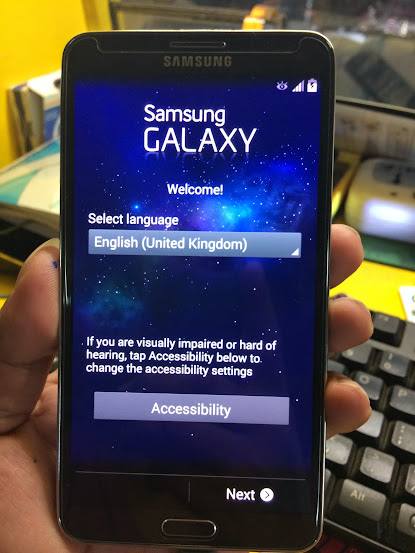 |
| Follow on screen to continue using phone |
Source:Android Geeks
That's It Very Easy!
Something Wrong in my Post?Feel Free to comment Below!
Don't Forget to Like us on Facebook or Subscribe to us via E-mail
Posted by
komon
Huawei Honor 4X Launched With 5.5-inch 64-bit Smartphone
Along with the flagship Huawei Honor 6 Plus, the company is also taking the wraps off the Huawei Honor 4X, another new addition to their end of the year portfolio. Just as expected, the smartphone is aggressively priced and will join many other devices that are competing in the low-end segment of the market.

5.5-inch 720p display with a pixel density of 267 PPI
64-bit Octa core Kirin 625 processor along with Mali 450 GPU for graphics processing
2GB of RAM
3000mAh battery
Dual-sim dual active
5MP selfie camera
13MP rear camera
Android 4.4 KitKat OS with Huawei’s Emotion UI
It’s important to note that the smartphone is available in 1 and 2GB of RAM options, with the 1GB version being available for 799 Yuan (5754.59) while the 2GB model will cost you 999 Yuan (PHP 7195.04). Both these versions are available in Gold color as well as the usual Black and White variants. The device will be available for purchase starting December 23rd at Jingdong Mall and Huawei’s VMall store in China.

Huawei Honor 4X Key Specs:
5.5-inch 720p display with a pixel density of 267 PPI
64-bit Octa core Kirin 625 processor along with Mali 450 GPU for graphics processing
2GB of RAM
3000mAh battery
Dual-sim dual active
5MP selfie camera
13MP rear camera
Android 4.4 KitKat OS with Huawei’s Emotion UI
It’s important to note that the smartphone is available in 1 and 2GB of RAM options, with the 1GB version being available for 799 Yuan (5754.59) while the 2GB model will cost you 999 Yuan (PHP 7195.04). Both these versions are available in Gold color as well as the usual Black and White variants. The device will be available for purchase starting December 23rd at Jingdong Mall and Huawei’s VMall store in China.
We don't know yet when this device will be available here in Philippines!
Posted by
komon
Huawei Honor 6 AKA Huawei Glory 6 Plus Launched with 5.5-inch Display and Dual 8MP rear cameras
Huawei has announced their latest Android phone – Honor 6 Plus. If you’re interested in large screen or dual-lens camera, let’s go on checking the new smartphone.
Huawei Honor 6 Plus is a high performance large-screen smartphone that measures 150.46 x 75.68 x 7.5mm. The Android phone is powered by Huawei HiSilicon Kirin 925 octa-core processor and comes equipped with 3GB RAM, 32GB internal storage with a microSD card slot supporting up to 128GB and a 5.5-inch FHD display in order to bring you smooth and comfortable entertaining and operating experience.
Moreover, Huawei Honor 6 Plus also features a unique dual-lens rear camera with 8-megapixel BSI sensor and f/0.95-f/16 aperture for capturing fantastic photos, and other specs also include 8-megapixel front-facing camera, optional dual SIM model,3600mAh rechargeable battery, NFC, and OTG.
Huawei Honor 6 Plus Android phone is priced at ¥1999 RMB (approx 14405.86 PHP), but no words about sale in other regions at present. If you’re interested, jump to Huawei official site for more details.
 |
| Huawei Honor 6 |
Huawei Honor 6 Key Specs:
5.5-inch (1920 x 1080 pixels) display with 10-finger multi-touch
Octa-Core Hisilicon Kirin 925 processor with Mali T628-MP4 GPU
3GB RAM
16GB/ 32GB internal memory, expandable up to 128GB with microSD
Dual 8MP camera rear cameras with Dual LED flash
5MP front-facing camera
Android 4.4 KitKat with Emotion UI 3.0
Dual SIM (micro + nano)
4G LTE Cat6 / 3G HSPA+, WiFi 802.11 a/b/g/n (dual band), Bluetooth 4.0, NFC
3600 mAh battery
Huawei Honor 6 Plus is available in Black, White and Gold colors. It is priced at 1999 yuan (approx 14405.86 PHP) for the 16GB 3G variant and the 32GB 4G LTE variant with NFC costs 2499 yuan ( 18009.12 approx.)
Don't Forget to Like us on Facebook or Subscribe to us via E-mail
Posted by
komon
Saturday, December 17, 2016
How to Root Samsung Galaxy Note 3 (SM-N9005) Running on Android 4.4.2 KitKat
This tutorial will guide you the steps that you should follow to Root Samsung Galaxy Note 3 (SM-N9005) Running on Android 4.4.2 KitKat .Just follow step by steps on How to Root Samsung Galaxy Note 3 (SM-N9005) Running on Android 4.4.2 KitKat.
Guidelines and Requirements:
This Android Rooting guide is only meant for Samsung Galaxy Note 3, therefore do not try to apply it on another variant or see your device brick.Rooting your phone will void its warranty.
Enable USB Debugging from Settings and Developers Options.
Before going for the root process check that you’ve got good enough battery charge
Last but not the least, Proceed at your own risk.
How to Root Samsung Galaxy Note 3 (SM-N9005) Running on Android 4.2.2 KitKat XXUENA6 Using CF-Root
Step 1: First you need to download the CF-Root package for Galaxy Note 3.
Step 2: Unzip the downloaded file on your desktop, You’ll get the tar.md5 file and Odin.
Step 3: Now Reboot your phone into Download Mode by Pressing and Holding the Volume Down + Home + Powerbuttons at the same time till you see a warning message on your screen. You’ll be asked to hit the Volume Up to continue into download mode.
Step 4: Once in the Download Mode, Run the Odin3-v1.85.exe and Connect your Galaxy Note 3 to PC via the USB Cable.
Step 5: At this point make sure that Odin has recognized your device and check that theID:COM port is yellow or blue. You should also notice Added!! in the message section, which confirms that it has successfully made connection with Odin.
Step 6: Finally, Hit the PDA button and browse the CF-Auto-Root-hlte-hltexx-smn9005.tar.md5, file and Click on the Start button to begin the rooting process.
Step 7: The process will complete in a few seconds and once it is done, Odin will notify you via the PASS!! message and during this your device will automatically reboots.

Step 8: Congrats!! Your Galaxy Note 3 has been successfully Rooted. Check that SuperSU has been installed and to Verify Root Access, Open Google Play Store and search for ‘Root Checker‘ App. Install and Run it.

SOURCE:Android central
That's It Very Easy!
Something Wrong in my Post?Feel Free to comment Below!
Don't Forget to Like us on Facebook or Subscribe to us via E-mail
Posted by
komon
Friday, December 16, 2016
SKK Platinum Edge-4.5-Inch Quad Core Smartphone for ₱2,999 (Specs,Features And Price)
SKK Mobile introduced new member of its Platinum series with IPS display-the SKK Platinum Edge with suggested retail price of PHP 2,999.00 only.
The SKK Platinum Edge has a 4.5-inch screen,5.0 Megapixel Main Camera with LED Flash and 2.0 Megapixel Front Camera and runs on Android 4.4.2 Kitkat out of the box.
The SKK Platinum Edge is equipped with a 1.3GHz Quad Core ARM Cortex-A7 CPU from a MediaTek MT6582M Chipset back by 512MB of RAM and 4GB Internal Storage on the board,Expandable Up to 64GB via MicroSD.
The devices supports Dual SIM/Dual Standby,3G HSPA, 2G EDGE and GPRS Networks and Wi-Fi and Wi-Fi Hotspot connectivity.
 |
| SKK Platinum Edge |
SKK Platinum Edge Specs:
4.5-Inch IPS DisplayAndroid 4.4.2 Kitkat OS
MediaTek MT6582M Chipset
1.3GHz Quad Core ARM Cortex-A7 CPU
Mali-400 MP2 GPU
512MB of RAM
5.0 Megapixel Main Camera with LED Flash
2.0 Megapixel Front Camera
4GB Internal Storage
Expandable Up to 64GB via MicroSD
Dual SIM/Dual Standby
3G HSPA, 2G EDGE and GPRS Networks
Wi-Fi and Wi-Fi Hotspot
Bluetooth
GPS
FM Radio
Micro USB
3.5mm Audio Jack
Accelerometer
Proximity Sensor
Ambient Light Sensor
Price:
PHP 2,999.00 Suggested Retail Price
Posted by
komon
Sunday, December 11, 2016
Torque Droidz Octave:Octa Core Smartphone (Specs,Features And Price)

Torque has announced their new octa core smartphone on their facebook page-the Torque Droidz Octave for the price tag of PHP 6,399 only.
The Torque Droidz Octave has a 5.0-Inch HD IPS Display (720 x 1280 Pixels, 294 ppi).Computing is handled by a Octa Core Processor backed by 1GB of RAM.In addition,you get a front facing camera of 5.0 Megapixel for selfies and 8.0 Megapixel Autofocus Main Camera with LED Flash.
The device runs on Android 4.4.2 Kitkat Operating System out of the box and It does come with 8GB of onboard storage.
In terms of connectivity, it’s a dual SIM smartphone with 3G HSPA+ access, Wi-Fi, Bluetooth and GPS. We’ll confirm if it also supports USB OTG.
 |
| Torque Droidz Octave |
Torque Droidz Octave Specs
5.0-Inch HD IPS Display (720 x 1280 Pixels, 294 ppi)Android 4.4.2 Kitkat OS
Octa Core Processor
1GB of RAM
8.0 Megapixel Autofocus Main Camera with LED Flash
5.0 Megapixel Front Camera
8GB Internal Storage
Dual SIM/Dual Standby
3G HSPA+, 2G EDGE and GPRS Networks
Wi-Fi and Wi-Fi Hotspot
Bluetooth
GPS with A-GPS
FM Radio
Micro USB
3.5mm Audio Jack
Accelerometer
Proximity Sensor
Ambient Light Sensor
Price:
PHP 6,399.00 Suggested Retail Price
Posted by
komon
Saturday, December 10, 2016
Cloudfone Ice 353e-Most Affordable Android KitKat Smartphone (Specs,Features And Price)
Cloudfone has announced their Most Affordable Android KitKat Smartphone-the Cloudfone Ice 353e for only PHP 1,499.
The Cloudfone Ice 353e features a 3.5-inch display, 1GHz single core processor, 256MB of RAM and 512MB onboard storage.
This device is running on an Android 4.4.2 Kitkat operating system with WiFi, Bluetooth and 2G EDGE connectivity.Cloudfone Ice 353e has 2-megapixel rear camera (No Flash) and VGA front snapper.
For PHP 1,499, this device has two SIM slot with FM Radio for entertainment. It is available in black, blue, and red color variant.
 |
| Cloudfone Ice 353e |
CloudFone Ice 353e Specs
Android 4.4 Kitkat3.5-inch HVGA display
1GHz processor
256MB RAM
512MB internal storage
WiFi, Bluetooth
2-megapixel rear camera
VGA front camera
EDGE only
Dual-SIM, Dual-Standby
FM Radio
Price:
PHP 1,499.00 Suggested Retail Price
Posted by
komon
Friday, December 9, 2016
CloudFone Excite 356G-Most Affordable 3G Android Kitkat Smartphone (Specs,Features and Price)
Cloudfone announced their very cheap Android KitKat Smartphone with 3G connectivity for PHP 1,699-the CloudFone Excite 356G features an 3.5-inch display, 1GHz single core processor, 256MB of RAM and 512MB onboard storage.
This device is running on an Android 4.4.2 Kitkat operating system with WiFi, Bluetooth and 3G EDGE connectivity. CloudFone Excite 356G has 2-megapixel rear camera (No Flash) and VGA front snapper.
For PHP 1,699, this device has two SIM slot with FM Radio for entertainment. It is available in black, blue, and red color variant.
 |
| CloudFone Excite 356G |
CloudFone Excite 356G Specs:
3.5-Inch Capacitive DisplayAndroid 4.4.2 Kitkat OS
1.0GHz Single Core Processor
256MB of RAM
2.0 Megapixel Main Camera (No Flash)
VGA Front Camera
512MB Internal Storage
Expandable Up to 32GB via MicroSD
Dual SIM/Dual Standby
3G HSPA, 2G EDGE and GPRS Networks
Wi-Fi and Wi-Fi Hotspot
Bluetooth
FM Radio
Micro USB
3.5mm Audio Jack
Accelerometer
Price:
PHP 1,699 Suggested Retail Price
Posted by
komon
Thursday, December 8, 2016
SKK Mobile Illusion Announced-Specs,Features And Price
SKK Mobile announced the arrival of their new smartphone-the SKK Mobile Illusion,a Android KitKat smartphone for just PHP 3,499 only.
The SKK Mobile Illusion is powered by a 1.3 GHz Quad Core Processor back by a 512 MB of RAM,4GB internal storage and packs with Android KitKat 4.4.2 operating system.
The device has a 5.0" inch screen FWVGA IPS LCD display and supports DUAL SIM card DUAL stand-by and it has a 8MP main camera and 2MP front facing camera.

 |
| SKK Mobile Illusion |
SKK Mobile Illusion Specs:
Android KitKat 4.4.21.3 GHz Quad Core Processor
512 MB RAM
4GB internal storage
Expandable to 64GB
8MP main camera
2MP front facing camera
5.0" inch screen FWVGA IPS LCD display
DUAL SIM card DUAL stand-by
WIFI
BLUETOOTH
FM Radio
3G Connectivity
GPS
Price:
PHP 3,499 Suggested Retail Price
Posted by
komon
Monday, December 5, 2016
O+ Fab Elite 2.0 Specs,Features and Price
O+ USA announces one of the biggest-screen phones on the Philippine market today priced at PHP 15,995 only.
The O+ Fab Elite 2.0 sports a 6.5-inch full-HD AMOLED display panel with a resolutions of 1920×1080 pixels, 339ppi.Computing it's handled is by a massive 1.7GHz octa-core processor as well as 1GB of RAM.
If you think 16GB of storage isn’t enough, don’t worry because as is standard these days, it can be increased up to 32GB via a microSD card.
The O+ Fab Elite 2.0 is equipped with 13- and 5-megapixel rear and front cameras, respectively; comes with Sennheiser headphones with every purchase; and runs Android 4.4 KitKat.
Despite its size, though, the smartphone only has a 3000mAh battery, quite low for a 6.5-inch device.
 |
| O+ Fab Elite 2.0 |
O+ Fab Elite 2.0 Specifications:
Android 4.4 KitKat1.7GHz octa-core processor
1GB RAM
Expandable 16GB internal memory
Supports up to 32GB MicroSD card
6.5-inch full-HD AMOLED display, 1920×1080 pixels, 339ppi
3G/HSDPA
Dual SIM, dual standby
WiFi 802.11 b/g/n
Bluetooth
13-megapixel AF rear camera, LED flash
5-megapixel front-facing camera
Li-ion 3000mAh battery
90.7x177x9.7mm
Innovative:
O+ Air ShareAir Shuffle
Peace to Selfie
USB On-the-Go
Android 4.4(Kit Kat)
Price:
PHP 15,995 Suggested Retail Price
Posted by
komon
Torque Launched New Devices With Rotating Cameras
Torque has launched their new four devices OPPO N1-inspired smartphones and tablets with swivel cameras.Namely,The Torque’s Droidz Swivel, Droidz Pivot, Droidz Rotate, and Droidz Axis.All of them are intended to grab the attention of selfie lovers with an 8-megapixel camera that rotates from the back to the front at 180 degrees.
As for Torque’s selfie-savvy offerings, they’re as cheap as anything we’ve seen on the market so far, with the entry-level Droidz Swivel retailing for just P4,599. The most expensive of the lot, the Droidz Axis tablet, is priced at P5,799. The P4,999 Droidz Pivot and P4,399 Droidz Rotate find themselves in the middle of the spectrum.
However, as with most wallet-friendly devices, the massive savings in price come at the expense of mid- to high-end internals. They only house specs that include a 1.2GHz quad-core processor and 1GB of RAM. And while we’re on the topic, the 8-megapixel rotating cameras found in each model aren’t in the same league as the Oppo N1’s both on paper and in practice.
If there’s any consolation, it’s that the devices come in a variety of colors and already run Android KitKat out of the box.

Torque DROIDZ Swivel (Price:PHP 4,599)
Key Specifications:
Dual SIM
4.7-inch qHD IPS display (540 x 960 resolution)
1.2GHz quad-core processor
1GB of RAM
8GB of expandable storage
Android KitKat

Key Specifications:
Dual SIM
5-inch qHD IPS display (540 x 960 resolution)
1.2GHz quad-core processor
1GB of RAM
8GB of expandable storage
Android KitKat
 Torque Droidz Rotate (Price: PHP 4,399)
Key Specifications:
Dual SIM
7-inch WSVGA IPS display (1,024 x 600 resolution)
1.2GHz quad-core processor
1GB of RAM
8GB of expandable storage
Android KitKat
 Torque Droidz Axis (Price: PHP 5,799)
Key Specifications:
Dual SIM
7-inch WSVGA IPS display (1,024 x 600 resolution)
1.2GHz quad-core processor
1GB of RAM
8GB of expandable storage
Android KitKat
Key Specifications:
Dual SIM
7-inch WXGA IPS display (1,280 x 800 resolution)
1.2GHz quad-core processor
1GB of RAM
8GB of expandable storage
Android KitKat
Don't Forget to Like us on Facebook or Subscribe to us via E-mail
Posted by
komon
Sunday, December 4, 2016
O+ USA Evo 4G-5 inch HD LTE Capable Smartphone With Quad Core Android KitKat 4.4
O+ USA released their first ever smartphone with LTE enable device-the O+ USA Evo 4G with a price of PHP 7,995.00 only,that's look to me very surprising.
The EVO 4G sports a 5-inch IPS display with HD resolution and scratch resistant glass.Computing it's handled by a 1.5GHz Quad Core 64-bit ARM Cortex-A53 CPU from MediaTek MT6732 Chipset( TO BE CONFIRMED)back by 1GB of RAM(tbc).
What we are really sure is this device is powered by Android 4.4 Kitkat OS and 8.0 Megapixel Autofocus Main Camera with LED Flash and 2.0 Megapixel Front Facing Camera.It's support Dual SIM (Micro + Micro) and 2,500mAh Li-ion Battery.
 |
| O+ USA Evo 4G |
O+ Evo 4G Smartphone Specifications:
5.0-Inch HD Display (720 x 1280 Pixels, 294 ppi)Android 4.4 Kitkat OS
MediaTek MT6732 Chipset (TBC)
1.5GHz Quad Core 64-bit ARM Cortex-A53 CPU
Mali-T760 GPU @ 500MHz
8.0 Megapixel Autofocus Main Camera with LED Flash
2.0 Megapixel Front Facing Camera
8GB Internal Storage
Expandable up to 32GB via MicroSD
Dual SIM (Micro + Micro)
4G LTE, 3G HSPA+, 2G EDGE and GPRS Networks
Wi-Fi and Wi-Fi Hotspot
Miracast Wireless Display
Bluetooth 4.0
GPS with A-GPS
FM Radio
USB OTG Support
3.5mm Audio Jack
Accelerometer
Proximity Sensor
Ambient Light Sensor
Gesture Controls (Air Shuffle)
145.8 x 72.2 x 9.3 mm
2,500mAh Li-ion Battery
Price:
PHP 7,995.00 Suggested Retail Price
Posted by
komon
Saturday, December 3, 2016
Cherry Mobile Infinix Pure Xl Released-5.5 HD IPS Octa-core Phablet with Android KitKat 4.4
Cherry Mobile announced their new Phablet octa core-The Cherry Mobile Infinix Pure Xl for the price tag of PHP 6,999.00.
This phablet smartphone offers a 5.5-Inch HD IPS Display with resolution of 720 x 1280 Pixels, 267 ppi.Computing its handled by a 1.4GHz Octa Core ARM Cortex-A7 CPU from MediaTek MT6592M Chipset backed by 1GB of RAM.
In addition,you get a front facing camera and a 2.0 Megapixel Front Camera and not to mention,you get a main camera of a 13.0 Megapixel Autofocus Main Camera with LED Flash.
The Cherry Mobile Infinix Pure Xl also has a ARM Mali-450 MP4 GPU @ 600MHz for graphics processing and powered by Android 4.4.2 Kitkat OS.8GB Internal Storage (Expandable up to 32GB via MicroSD).The device also supports Dual SIM/Dual Standby,3G HSPA+, 2G EDGE and GPRS Networks connectivity and a 2,600mAh Battery (Removable).
 |
| Cherry Mobile Infinix Pure Xl |
Cherry Mobile Infinix Pure XL Specifications:
5.5-Inch HD IPS Display (720 x 1280 Pixels, 267 ppi)Android 4.4.2 Kitkat OS
MediaTek MT6592M Chipset
1.4GHz Octa Core ARM Cortex-A7 CPU
ARM Mali-450 MP4 GPU @ 600MHz
1GB of RAM
13.0 Megapixel Autofocus Main Camera with LED Flash
2.0 Megapixel Front Camera
8GB Internal Storage
Expandable up to 32GB via MicroSD
Dual SIM/Dual Standby
3G HSPA+, 2G EDGE and GPRS Networks
Wi-Fi and Wi-Fi Hotspot
Bluetooth 4.0
GPS with A-GPS
FM Radio
Micro USB
3.5mm Audio Jack
Accelerometer
Proximity Sensor
Ambient Light Sensor
2,600mAh Battery (Removable)
Price:
PHP 6,999.00 Suggested Retail Price
Posted by
komon
How To Enable USB Debugging On Android Devices With Video
In this tutorial,We want to share How To Enable USB Debugging On Android Devices.Just Follow instructions below to enable hidden Developer Options on you android devices.
Here's How:
*Go to Setting*About Phone
*Tap Build Number for 7 times to enable the hidden Developer Options
*Now Click back to setting
*Click Developer Options
*Finally check USB Debugging Mode and accept it by clicking OK
 |
| Developer options |
Here's The Video:
That's It Very Easy!
Something Wrong in my Post?Feel Free to comment Below!
Don't Forget to Like us on Facebook or Subscribe to us via E-mail
Posted by
komon
Friday, December 2, 2016
Lenovo A319 Specifications,Features And Price
Aside from Lenovo S580,Lenovo also launches Lenovo A319-A compact smartphone made for music lovers.the Lenovo A319 price at PHP 3,999.00 only.
In addition, music lovers are in for a treat as the A319 comes with a pre-installed award-winning music service, Guvera. Users can discover new music and play the best tracks from around the globe for free. The pre-loaded app’s unique Play feature, lets users use hashtags to find music that suit their mood. The A319 comes in three color variants: black, red, and white.
 |
| Lenovo A319 |
Lenovo A319 Specifications:
Dual SIM / Dual Standby
1.3GHz dual-core Mediatek MT6572 processor
4-inch WVGA (800x480) wide-view display, 233ppi
Android 4.4.2 (KitKat)
Mali-400 GPU
512MB of RAM
4GB of internal storage
microSD support up to 32GB
5MP fixed-focus camera with LED flash
2MP fixed-focus front-facing camera
Dolby Digital Plus audio
GPS with A-GPS support
Wi-Fi 802.11 b/g/n / Wi-Fi Hotspot
HSPA+ 21Mbps (DL) / 5.76Mbps (UL)
FM radio with 3.5mm audio jack
Bluetooth 4.0
microUSB 2.0
Li-Ion 1,500mAh battery (removable)
123.5 x 63.8 x 10.2mm (dimension)
130g (weight)
Price:
PHP 3,999.00 Suggested Retail Price
Posted by
komon
Lenovo S580 Specifications,Feature and Price
Lenovo launches it's newest affordable smartphone,The Lenovo S850-tag by the company as HD entertainment in a compact, ultra-stylish smartphone for only PHP 8,999.00.
The Lenovo S580 is powered by Android OS Jelly Bean 4.3,not to mention for photography fans-the device has a 8MP auto-focus rear camera with flash and 2MP front facing camera.
The Lenovo S580 also packs the exclusive Lenovo DOit apps -- ShareIt, SyncIt, SecureIt. With these pre-installed apps, quick file sharing, syncing files to the cloud and protection from viruses and malware have never been easier.
The Lenovo S580 also support Dual Regular SIM, Dual Standby,HSPA+ Technology 42Mbps(DL) / 5.76Mbps(UL),Wi-Fi 802.11 b/g/n / Wi-Fi Hotspot and Bluetooth 3.0 HS connectivity.The device have a pre-installed games like Asphalt 8, Gamestore, Green Farm 3, Real Football 2014 & Spider-Man: Ultimate Power.
 |
| Lenovo S580 |
Lenovo S850 Specifications:
5.0" HD (1280x720) IPS display
Qualcomm® Snapdragon™ 200 MSM8212 1.2GHz Quad Core Processor
1GB RAM / 8GB ROM / 32GB expandable
8MP auto-focus rear camera w/ flash;
Qualcomm® Snapdragon™ 200 MSM8212 1.2GHz Quad Core Processor
1GB RAM / 8GB ROM / 32GB expandable
8MP auto-focus rear camera w/ flash;
2MP front camera
HSPA+ Technology 42Mbps(DL) / 5.76Mbps(UL)
Dual Regular SIM, Dual Standby
Android OS Jelly Bean 4.3
HSPA+ Technology 42Mbps(DL) / 5.76Mbps(UL)
Dual Regular SIM, Dual Standby
Android OS Jelly Bean 4.3
GPS with A-GPS support
FM radio with 3.5mm audio jack
Bluetooth 3.0 HS
microUSB 2.0
Wi-Fi 802.11 b/g/n / Wi-Fi Hotspot
HSPA+ 21Mbps (DL) / 5.76Mbps (UL)
Li-Pol 2,000mAh battery (non-removable)
141 x 71 x 8.2mm (dimension)
140g (weight)
Price:
PHP 8,999.00 Suggested Retail Price
Posted by
komon
Android Tool By GPG Indusries
 |
| Main Software |
Download Link:
GPG
OTHER LINK
All the Credits goes to the owner of this free software
In this free software you can use to reset G-mail,Pin/face lock and Gesture lock or even completely wipe all user data in your Android devices.Also supports Allwinner and Rockchip chipsets.
This software only works if your Android devices is USB Debugging turn-on and checked.
Posted by
komon
Subscribe to:
Posts (Atom)